
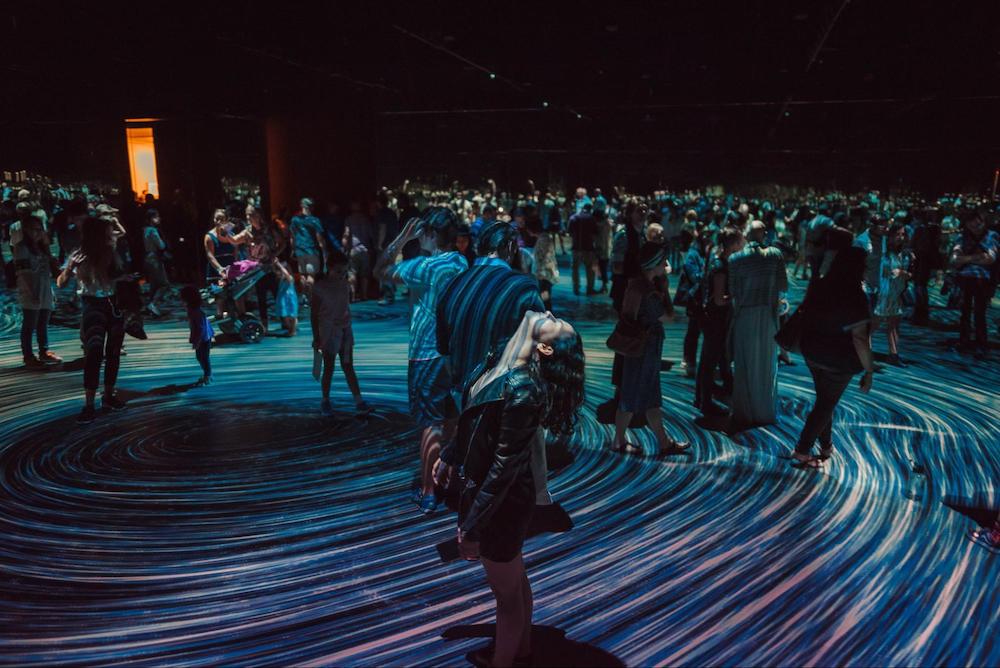
VJing, or video jockeying, has evolved far beyond the club scene of the 1980s and 1990s. Today, VJ software is at the heart of live events, concerts, festivals, corporate launches, and even hybrid online performances. A skilled video jockey creates immersive experiences where visuals, sound, and space come together to captivate audiences. But to do this, the right VJ programs are essential.
Video jockey software allows artists to manipulate live visuals in real-time, often reacting to audio, stage lighting, and audience interaction. In 2026, trends are shifting towards more lightweight, browser-based, and flexible visual platforms. Lightweight tools reduce hardware requirements, letting artists perform on standard laptops instead of needing expensive, high-powered machines. Browser-based platforms cut down on setup and installation time, which is vital for touring artists or quick event turnarounds. Flexible systems that integrate with projection surfaces, LED screens, and hybrid setups make it easier to adapt to different venues, from clubs and festivals to online streams. Artists now demand tools that not only handle complex mapping but also integrate with projection surfaces, LED screens, and hybrid setups. Choosing the best VJ software has never been more important for VJs, event producers, and digital artists looking to create unforgettable experiences.
Whether you’re exploring what is VJing for the first time, looking to upgrade your setup, or just starting in concert visuals software, understanding the features, pros, and cons of traditional VJ tools versus modern visual platforms is crucial. This guide breaks down top tools and highlights how web-based visual platforms, including doodooc, are influencing the evolving landscape of live visual performance.
What to Look for in VJ Software
Before diving into specific tools, it’s essential to know what makes VJ software effective in 2026. When evaluating vjing software, consider these factors:
- Audio-reactive capabilities – Can the software react in real-time to live audio or pre-recorded tracks? This is critical for immersive shows where visuals sync perfectly with music. Audiences now expect visuals to move with every beat, making non-reactive visuals feel outdated.
- Multi-screen and projection support – Many events require output across multiple displays, walls, domes, or outdoor façades. The software should adapt to different screen setups without distortion. With larger events using domes, LED walls, and architectural mapping, flexible screen support saves huge amounts of setup time.
- Customization and effects – Artists often need a balance between pre-made templates and the ability to create unique, interactive visuals. This balance allows both beginners and professionals to stand out while still working efficiently under time pressure.
- Ease of use vs advanced control – Some tools offer powerful effects but come with steep learning curves. The best VJ software strikes a balance. In 2026, fast learning curves matter more because many DJs and musicians are adding visuals to their shows without dedicated VJs.
- Hardware and system compatibility – Check GPU requirements, resolution limits, and whether the software works on macOS, Windows, or both. With hybrid crews often mixing Macs and PCs at the same event, cross-platform reliability is key.
- Community support and resources – Active forums, tutorials, and asset libraries can save hours of prep and troubleshooting. Fast peer-to-peer support is crucial now that events often run on tighter deadlines.
Understanding these criteria helps VJs choose tools that match their workflow, event type, and artistic vision.
Best Traditional VJ Software Tools
1. Resolume Arena
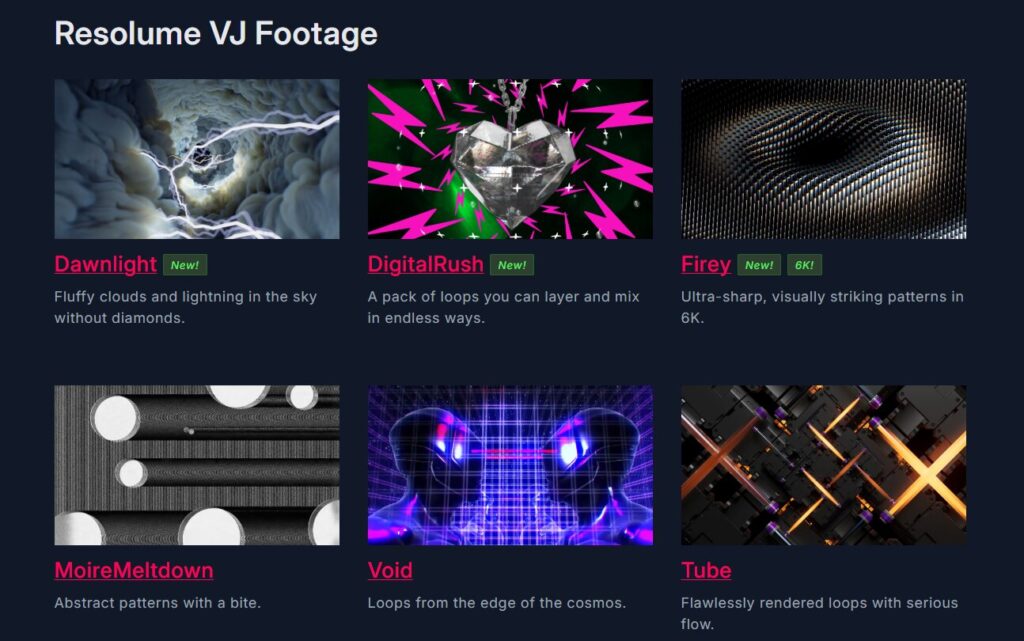
Overview: Resolume Arena is considered the industry standard for live VJing and projection mapping. First released in 2004, it has evolved into a powerful, all-in-one tool for real-time visuals.
Key Features:
- Layer-Based Composition: Allows for complex visual compositions with multiple layers.
- Real-Time Effects: Apply effects live to visuals during performances.
- Projection Mapping: Advanced tools for mapping visuals onto 3D surfaces.
- Audio Analysis: Sync visuals with audio using built-in analysis tools.
Pros:
- Comprehensive feature set for professional performances.
- Robust community support and resources.
- Cross-platform compatibility (Windows and macOS).
Cons:
- Steep learning curve for beginners.
- Higher system requirements for optimal performance.
Use Cases: Popular among festival VJs, concert visuals software operators, and large corporate events.
2. MadMapper
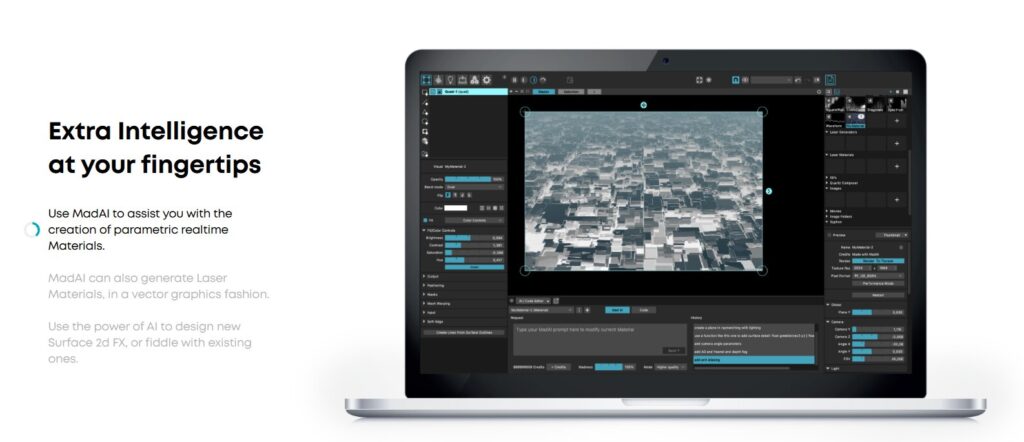
Overview: MadMapper is a favorite among projection mapping artists. It’s designed for precise output on irregular surfaces and large-scale installations.
Key Features:
- Precise Mapping: Align visuals accurately with physical surfaces.
- LED Mapping: Control LED installations with ease.
- Real-Time Control: Adjust visuals live during performances.
Pros:
- Excellent for architectural projections and installations.
- User-friendly interface tailored for mapping.
- Supports various input sources and formats.
Cons:
- Limited features for general VJing compared to other tools.
- Primarily focused on mapping rather than full visual composition.
Use Cases: Best suited for art installations, architectural projections, and events requiring precise visual alignment.
MadMapper vs Resolume: While MadMapper excels at precise architectural mapping, Resolume is better suited for live VJ performances with layered visual compositions. Many professionals use both in tandem: MadMapper for surfaces and Resolume for live mixing.
3. VDMX
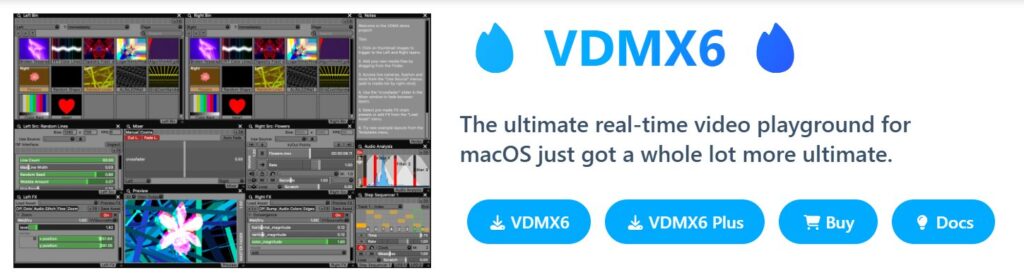
Overview: VDMX offers real-time video processing and is popular among experimental VJs. It’s highly customizable and flexible.
Key Features:
- Modular Interface: Customize the workspace to suit individual workflows.
- Real-Time Processing: Process and manipulate visuals live.
- MIDI/OSC Support: Integrate with various hardware controllers.
Pros:
- Highly customizable to fit specific performance needs.
- Strong support for external hardware integration.
- Active user community with shared resources.
Cons:
- macOS-only, limiting cross-platform compatibility.
- Requires time to master due to its modular nature.
Use Cases: Suitable for VJs who prefer a tailored setup and integration with external devices. Can be used during art installations, interactive performances, and boutique festival visuals.
VDMX vs Resolume: VDMX offers deeper customization, but Resolume provides more out-of-the-box tools for layered live shows. Choose VDMX if you want experimental setups; choose Resolume for streamlined festival-ready performance.
4. TouchDesigner
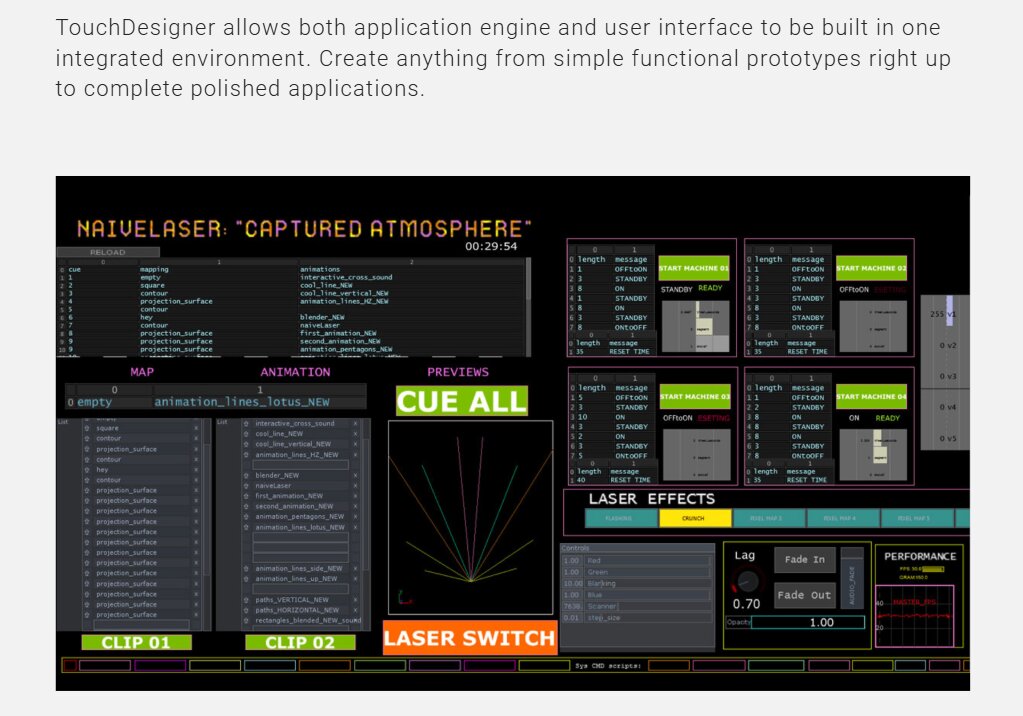
Overview: TouchDesigner is a node-based VJ program that allows artists to create interactive media systems and generative visuals.
Key Features:
- Node-Based Workflow: Build complex visuals using a visual programming interface.
- Real-Time Rendering: Produce high-quality visuals in real-time.
- Interactive Capabilities: Integrate sensors and inputs for interactive installations.
Pros:
- Extremely powerful for creating custom visuals and interactive experiences.
- Supports a wide range of input and output devices.
- Active community with extensive resources.
Cons:
- Steep learning curve, especially for those new to visual programming.
- High system requirements for complex projects.
Use Cases: High-tech art installations, interactive stage shows, and concert visuals software for innovative experiences.
Resolume vs TouchDesigner: Resolume is ideal for live mixing and layering visuals quickly, while TouchDesigner is better for interactive or generative setups requiring programming logic. Many advanced VJs combine both.
5. HeavyM
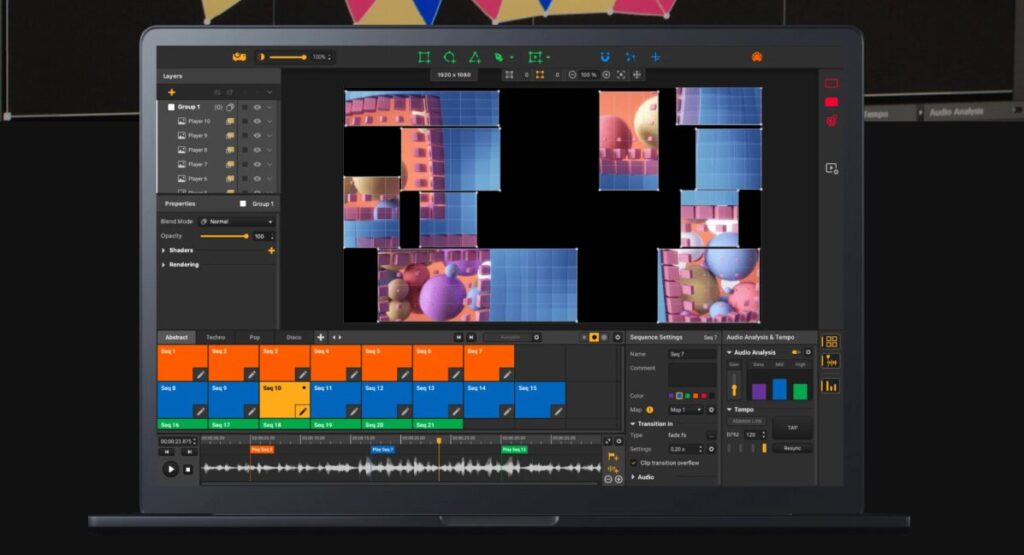
Overview: HeavyM is known for being beginner-friendly while supporting projection mapping. It combines intuitive interfaces with professional outputs.
Key Features:
- Real-Time Mapping: Map visuals onto physical surfaces in real-time.
- Built-In Effects: Apply various effects to visuals during performances.
- User-Friendly Interface: Designed for quick setup and operation.
Pros:
- Intuitive interface suitable for beginners.
- Quick setup for live performances.
- Supports various input sources and formats.
Cons:
- Limited features for general VJing compared to other tools.
- Primarily focused on mapping rather than full visual composition.
Use Cases: : Best for small to medium-sized events and installations requiring straightforward projection mapping.
New-Age Alternatives: Browser-Based and Lightweight Platforms
While traditional VJ software dominates large-scale events, new visual platforms are gaining traction. Browser-based and lightweight tools offer flexibility, speed, and accessibility, especially for hybrid performances or quick setups.
This matters now because browser-based platforms allow artists to plug in and perform anywhere without worrying about licenses or installations, while lightweight systems ensure stability even on modest laptops.
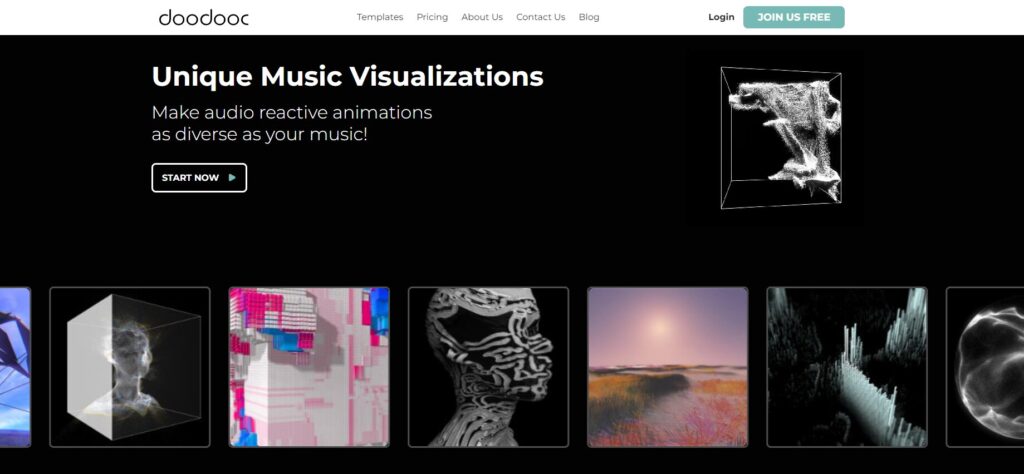
doodooc is a prime example:
- No installation needed – Works directly in a browser, making setup effortless.
- Audio-reactive visuals – Real-time synchronization with tracks or live inputs.
- Custom sizes for any screen – From small LED panels to large projection mapping surfaces.
- Perfect for projection mapping, DJs, or hybrid workflows – Compatible with Resolume, MadMapper, and other VJ programs.
For artists looking for a MadMapper free alternative, doodooc offers an accessible solution for high-quality projection visuals without complex software installation. It is not a full VJ software replacement but complements traditional tools. It allows artists to quickly generate high-quality visuals that can be directly used in projection mapping events or layered into live DJ sets.
When to Use doodooc vs Traditional Tools
Choosing between doodooc and traditional VJ software depends on the performance’s scope and technical requirements:
- Quick setups and smaller events: doodooc excels for DJs, pop-up events, or hybrid online streams where installation and preparation time is limited.
- Projection mapping projects: Use audio-reactive visuals with C-Squared to ensure high-quality, perfectly dimensioned outputs for any surface.
- High-control, large-scale productions: Traditional VJ software like Resolume or TouchDesigner is better suited for multi-layered, complex shows requiring full control over effects and output.
In many cases, the best approach combines both. For example, a DJ may use Resolume for live mixing while running audio-reactive visuals on a secondary screen or projection surface, reducing load and increasing creative freedom.
Conclusion
VJ software in 2026 spans a spectrum from powerful, traditional programs like Resolume, MadMapper, and TouchDesigner to lightweight, browser-based platforms like doodooc. Each tool has strengths depending on the type of performance, venue, and workflow.
Video jockey software isn’t just about playing videos. It’s about creating an experience where visuals respond to sound, space, and audience interaction. Audio-reactive features, multi-screen support, and high-resolution outputs are no longer optional – they’re essential.
The browser-based solution complements traditional VJ programs by offering quick, accessible, and customizable visuals for projection mapping and live events. It allows artists to focus on performance and creativity, ensuring audiences experience immersive, memorable shows.
Whether you are exploring concert visuals software for a small venue or planning large-scale festival installations, knowing your tools and choosing the right combination is key to success. From long-standing VJ programs to new-age platforms, 2026 offers unprecedented opportunities for creativity, accessibility, and innovation in live visual performance.